
Two programs, and only one is included
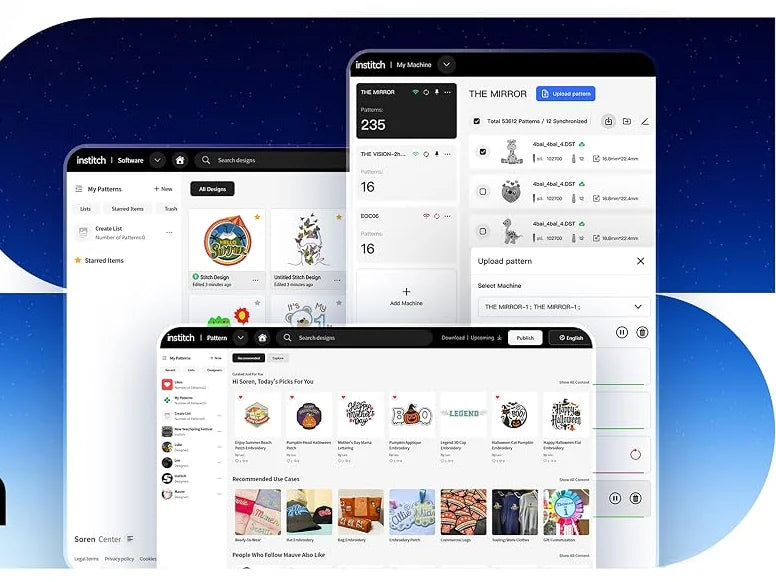
InStitch runs the machine and comes with it, free for as long as you own it. Wilcom draws your designs, and it is an option invoiced separately.
Two pieces of software, one job
Wilcom Optional
Draws your designs.
Professional digitising software, invoiced separately from the machine. Five editions, from Essentials and Lettering (€899) to Designing (€3,999), all excl. VAT. Your customer’s logo becomes a file the machine can stitch.
Discover WilcomInStitch Included, free
Runs the machine.
The BAI tools that control the machine, move your files and price a job.
Discover InStitchFrom logo to first stitch
-
Draw
In Wilcom
Your customer’s logo becomes a .dst file, the format the machine reads.
-
Connect
Computer and machine
Put both on the same Wi-Fi network, or use a USB stick.
-
Send
In InStitch
Pick the design and send it to the machine.
-
Run it
On the machine
Put the fabric in the hoop, the frame that holds it tight, and start. The machine changes colour and cuts the thread where the file says.
Software questions
Is the software included with every machine?
The InStitch tools are: they come with the MIRROR, the VISION and the VISION II, free for as long as you own the machine. Wilcom is an option, invoiced separately.
Do I need an internet connection to embroider?
No. A USB stick moves a .dst file from the computer to the machine without any network.
Which Wilcom edition should I choose?
Essentials (€899 excl. VAT, lifetime licence) opens, edits and runs your embroidery designs. Lettering (€899) covers lettering and monograms, Editing (€1,199) adds editing of existing designs. For full digitising, choose Decorating (€1,899) or Designing (€3,999). Essentials, Decorating and Designing can be added when you order a machine; the other editions are sold separately.
Is there a subscription to pay?
Essentials, Lettering and Editing are lifetime licences, paid once. Decorating and Designing are also available as a monthly subscription: €79 and €129 excl. VAT per month, with a 12-month commitment. You order at €0 and we contact you to set it up.
The same software on every machine
MIRROR, VISION or VISION II, from 6.490,00 € excl. VAT.